How to Connect to the Canvas Gradebook
Tandem Surveys, Team Checks, Lessons, and Reflections are graded on completion. You can connect these to your Canvas grade book. Note: For now, you must create the assignments within Tandem - not Canvas.
Connecting your Tandem Assignments to Canvas
- Choose LTI Management from the menu in the upper left.
- Open the drop-down and choose “Linked Assignments”
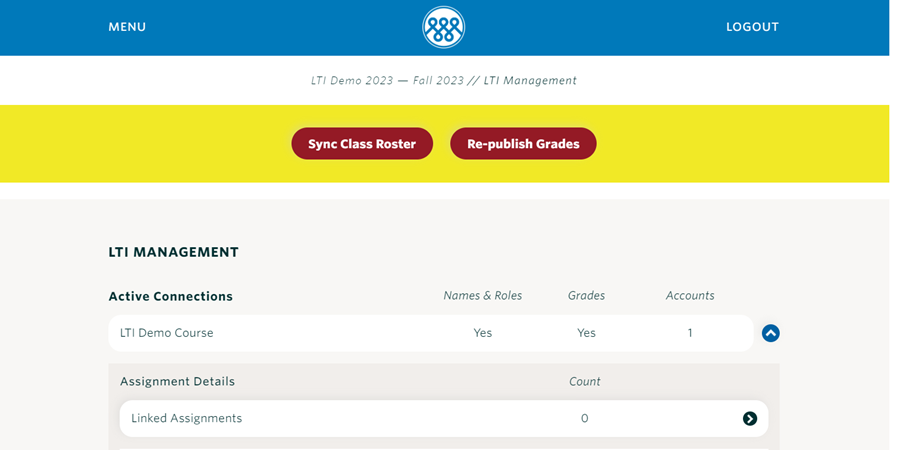
You will now see every Tandem assignment - linked or unlinked.
To link an assignment:
- Click the pencil next to the assignment you want to link
- Choose “Add New Gradebook Item”
- Click Save
That assignment is now linked.
Note: Linked assignments are automatically assigned a value of 1 point. You can edit this amount in Canvas.
Syncing Tandem grades with Canvas
Canvas should automatically update assignment grades for every linked assignment.
If Canvas is not updating for some reason, you can manually sync grades.
- Choose LTI Management from the Menu in the upper left
- Click the “Re-publish Grades” button at the top of the page
- It can take several minutes to sync.